When it comes to editing your photos like a pro, two names pop up again and again: Adobe Lightroom and VSCO. Both are loved by photographers, but they offer very different workflows, styles, and features.
So how do you choose? Here’s a simple comparison to help you decide which one fits your style best!
What Is Lightroom?
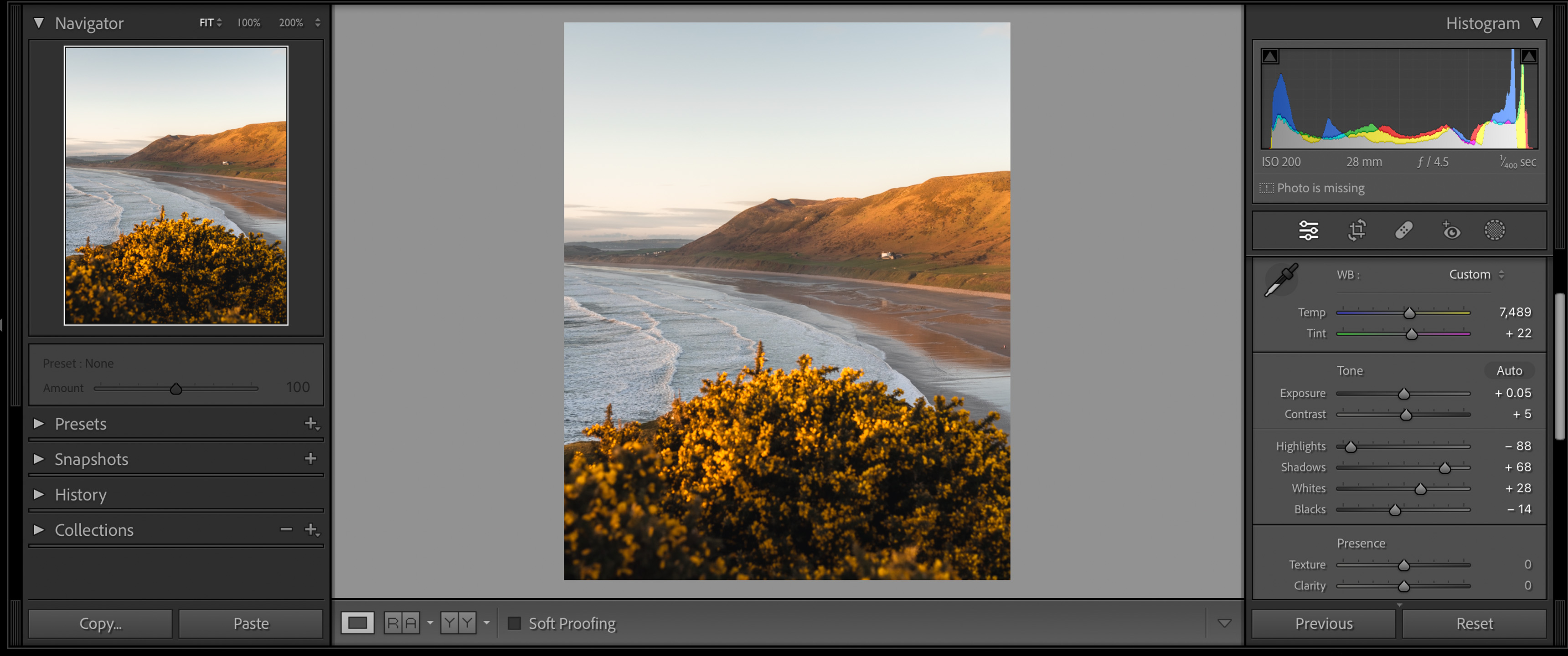
Lightroom is Adobe’s powerful photo editing software — available on desktop and mobile. It’s trusted by professional photographers for its wide range of tools:
✅ RAW file support
✅ Advanced adjustments like the HSL panel, curves, and masks
✅ Preset creation
✅ Non-destructive editing
✅ Cloud sync between devices
Lightroom is perfect if you want total control over your images and need to fine-tune every detail — from exposure to color grading.
What Is VSCO?
VSCO (pronounced “Visco”) started as a filter app and has grown into a popular creative community. It’s mobile-first and super beginner-friendly.
✅ Famous for beautiful, film-inspired presets
✅ Simple sliders for quick edits
✅ VSCO Grid to share photos with the VSCO community
✅ Journaling features to tell visual stories
VSCO is ideal if you love vintage, dreamy vibes and want to edit your photos fast on your phone.
Key Differences at a Glance
| Feature | Lightroom | VSCO |
|---|---|---|
| Platform | Desktop & Mobile | Mobile-first |
| RAW Support | Yes | Limited |
| Presets | Create & Download | Built-in VSCO Film Looks |
| Community | Adobe Portfolio, Cloud Sync | VSCO Grid, Journals |
| Skill Level | Intermediate to Pro | Beginner to Intermediate |
| Price | Subscription-based | Free + Paid Membership |
Workflow & Ease of Use
-
Lightroom takes time to learn, but once you do, you’ll appreciate the precision.
-
VSCO is super intuitive — pick a preset, tweak it, and you’re done.
Pricing
-
Lightroom: Paid subscription, starting around $10/month for the Photography plan, which includes Photoshop.
-
VSCO: Free version available, but most film presets and advanced tools require a paid membership (around $19.99/year).
Final Verdict: Which Should You Choose?
✅ Choose Lightroom if:
You want professional-level edits, work with RAW files, or need advanced tools for color grading and masking.
✅ Choose VSCO if:
You want quick edits with beautiful filters and love that analog, film-inspired aesthetic for your Instagram feed.